
Free work schedule templates for employees
Plan who works when with a weekly employee schedule or a monthly staff rota. Both open in Excel and come as a printable PDF, with no sign-up. Below the downloads you'll find how to build a fair schedule, the common 12-hour rotating patterns, and the rest rules to check before you post it.
Weekly employee schedule
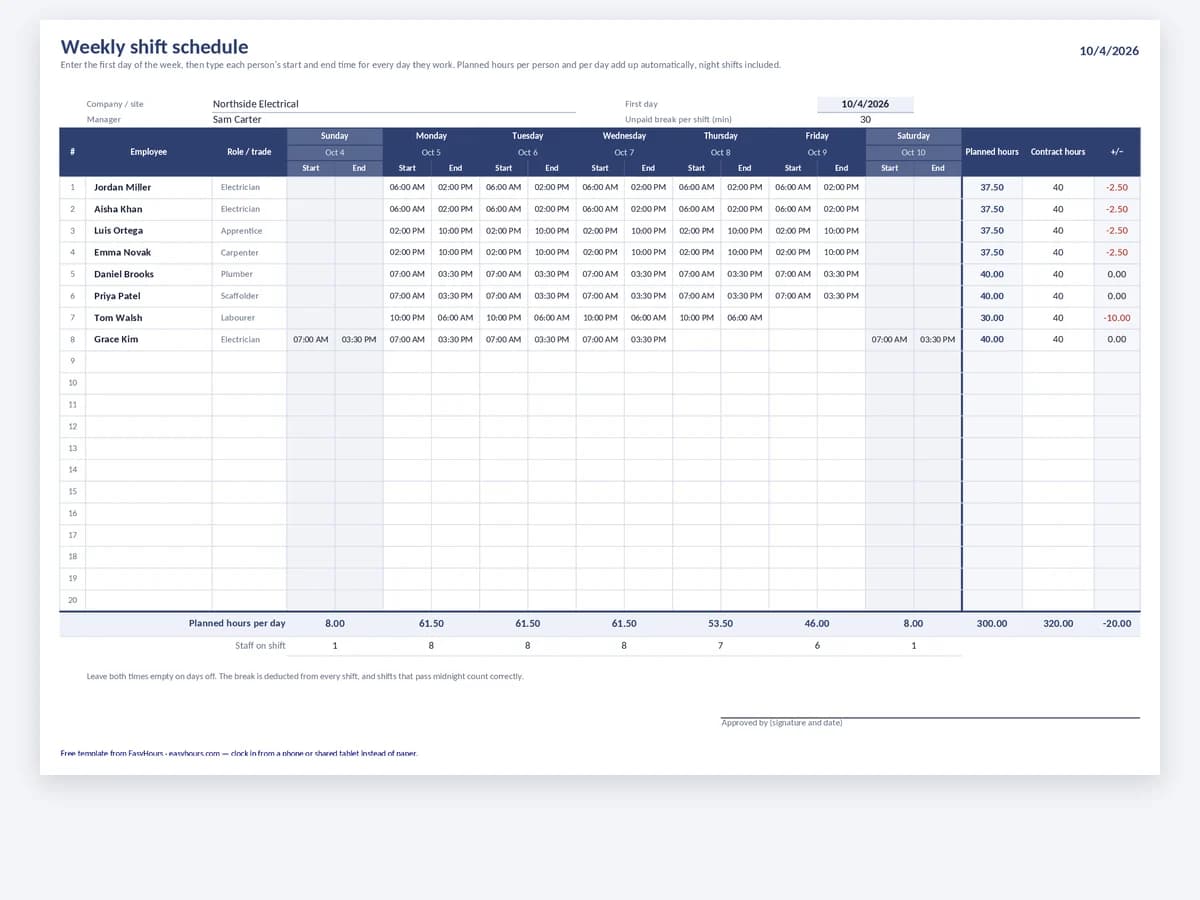
The whole crew on one sheet for one week. Each person gets a row, each day a start and end time, and Excel adds up the planned hours per person so you can spot overtime before the week starts.
- One row per employee, Monday to Sunday
- Start and end time for every shift
- Planned hours totalled per person
Best for · Crews and shift teams whose hours change from week to week
In EasyHours · Build the week once, publish it to everyone's phone, and let people trade shifts instead of texting you.
Monthly shift rota
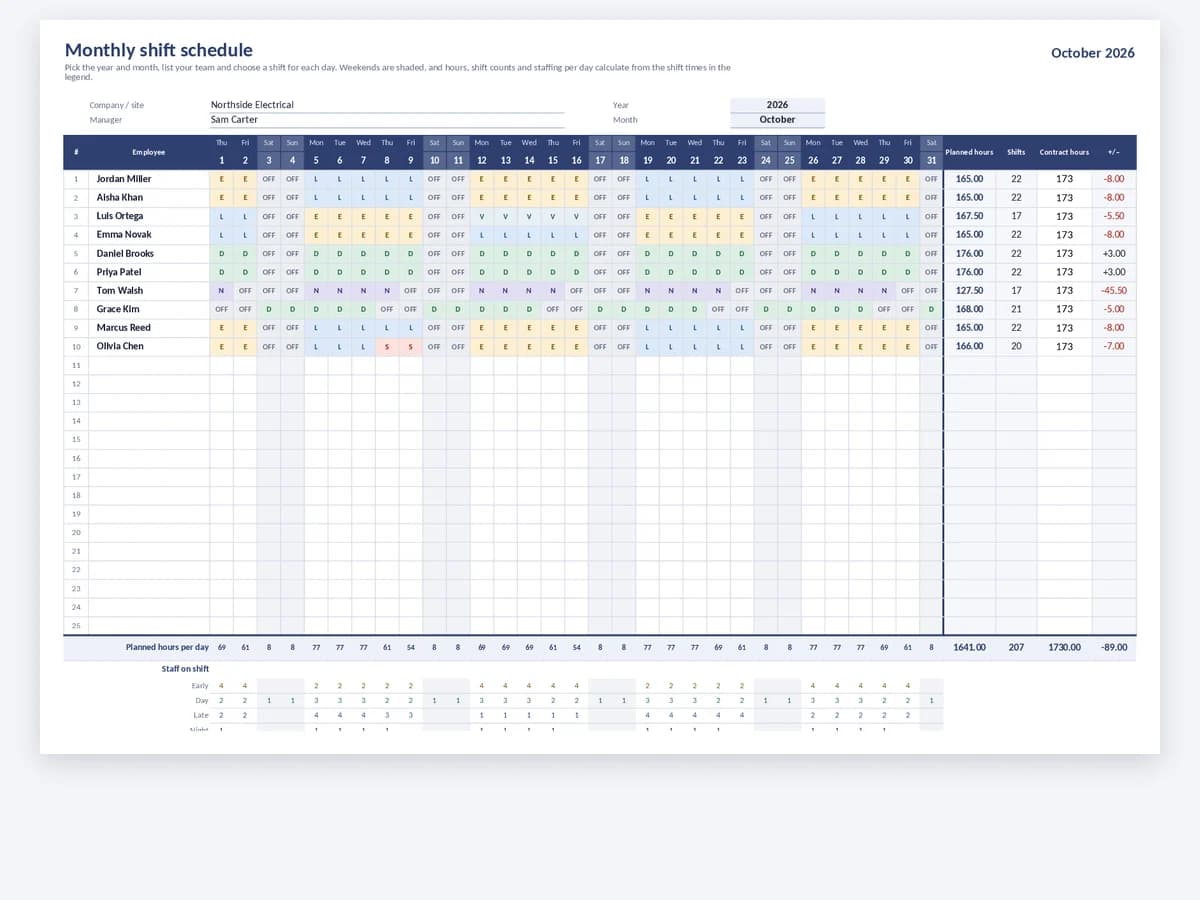
A full month on one page with a short shift code per person per day, such as day, night or off. Ideal for rotating patterns like 2-2-3 or 4-on-4-off, where you need to see several weeks at once.
- Whole month at a glance
- Shift codes for day, night and off
- Printable PDF, including 2027
Best for · Rotating 8- and 12-hour shifts, 24/7 sites and on-call rotas
In EasyHours · The schedule sits next to the clock-ins, so you see planned against actual hours for every shift.
How to build a work schedule people can rely on
A good schedule covers every shift with the right people, spreads the unpopular shifts fairly and stays inside the rest and overtime rules. These are the steps most managers in construction, facilities, manufacturing and field service follow.
Start from demand, then add people
List the shifts you need to cover before you think about names: how many people per shift, which skills or licences each shift needs, and which sites they work at. Then fill in the people, starting with fixed commitments such as approved time off and training days.
- Mark approved leave first so you don't schedule someone who is away
- Rotate weekends, nights and holidays so the same people don't always get them
- Check each person's planned hours against their contract and your overtime threshold
- Publish the schedule as early as you can and keep changes to a minimum
Common rotating shift patterns
24/7 operations usually split the crew into four teams on 12-hour shifts. The monthly rota works well for these, because each pattern only shows its rhythm over several weeks.
- 2-2-3 (Panama): work 2 days, off 2, work 3, then the reverse, repeating every 14 days; about 42 hours a week on average
- DuPont: a 4-week cycle of 12-hour shifts that alternates blocks of days and nights and includes a 7-day break
- 4-on-4-off: four 12-hour shifts, then four days off, simple to plan and easy to explain
- 8-hour three-shift rotation: early, late and night shifts that rotate forward every week
Rest and scheduling rules to check
In the US, federal law (the FLSA) doesn't set rest periods between shifts, but some states and cities have predictive or fair-workweek scheduling laws. Oregon, for example, requires large retail, hospitality and food-service employers to post schedules 14 days ahead and to pay time and a half for shifts that start within 10 hours of the previous day's work. Check your state and city before you publish.
In the UK, the Working Time Regulations 1998 give adult workers 11 hours' rest between working days and 24 hours' uninterrupted rest each week (or 48 hours every two weeks).
Planned hours are not worked hours
A schedule tells you what should happen. Payroll needs what actually happened: late starts, early finishes, swapped shifts and overtime. Keep the schedule and the timesheets side by side, and compare planned with worked hours at the end of each pay period before anyone is paid.
Work schedule template questions
Is the work schedule template really free?+
Yes. Both the weekly and the monthly template are free to download in Excel and PDF, with no email sign-up. You can change the columns, add your logo and save your own copy.
Does it work in Google Sheets?+
Yes. Upload the .xlsx file to Google Drive and open it with Google Sheets. The layout and totals carry over, so you can share the schedule with your supervisors there.
Which template should I use for 12-hour rotating shifts?+
Use the monthly rota. Patterns like 2-2-3, DuPont or 4-on-4-off repeat over two to four weeks, so you need to see the whole month to check that every shift is covered and that each team gets its days off.
What's the difference between a work schedule and a timesheet?+
A schedule is the plan you publish before the week starts. A timesheet records the hours people actually worked, including late starts and overtime. You need both: the schedule to staff the work and the timesheet to run payroll.
How far in advance should I post the schedule?+
As early as you can; two weeks is a good habit. Some states and cities require it by law for certain industries, for example Oregon's 14-day rule for large retail, hospitality and food-service employers. Check the rules that apply where you operate; this page is general information, not legal advice.
When is a spreadsheet no longer enough?+
Usually when you schedule more than one site, when shift trades happen by text message, or when you spend payday comparing the schedule with paper timesheets. That's the point where a scheduling app that also records the clock-ins saves real time.
Publish the schedule and track the hours in one place
In EasyHours you build the week, publish it to your team's phones, and let people trade shifts. When they clock in, you see planned against actual hours, and approved timesheets export for payroll.